Bring AI into company control.People, data, workflows and assets in one ecosystem.

From personal use to company management

Personal tools solve how to use AI. The company also needs to know: where the data is, who can see it, where the money goes, and who picks up when someone leaves.

What companies care aboutCommon approachEachRun
Getting startedEmployees each register, install environments and manage keysEmployees request workspaces; the company configures runtime, models and keys centrally
Project collaborationChat in one app, files in another, AI context stays in personal toolsProject chat, files, messages and AI execution follow the same project
Access boundariesAccounts and permissions scattered across tools, maintained by each employeeProject roles decide which models, agents, files and actions each person may use
Records and costRecords and bills are scattered; project costing needs manual collectionAll execution records are kept; usage is checked by person, workspace, project and model
People handoverData and context follow the personal account or laptopProjects and workspaces can be shared or handed over; the next person continues

Project discussions
and file sharing

One project, one group. Discussions, files and AI results stay in the project. When someone new takes over, they don't need to hunt for materials.

See how collaboration and sharing work on the Product page

Four colleagues standing on both sides of a long table, reviewing a spread-out blueprint

Runs in the cloud
no setup required

Tasks run in cloud workspaces, not on local machines. The environment is configured by the company. Compute and disk are allocated per workspace; ask the admin for more.

See how runtimes are allocated on the Product page

A person working on a laptop above the clouds

The company takes back control of identity, permissions, cost and records

Allocate resources, configure capabilities, set quotas and review records — all in one console. Employees use AI as usual; the rules are set by the company.

People — who uses it, who takes over

Identity and provisioning

Who is using it, identified first

Employees apply, administrators review and allocate resources. Who was provisioned is recorded.

Handover and takeover

Work does not leave with the person

Projects can be transferred. When someone leaves, files, conversations and records stay with the company.

Access — what they use, how far they go

Models and keys

Company configures capabilities centrally

Models, agents and keys are connected by the company, not stored on personal machines.

Project permissions

What you can see and do is decided by role

Project roles decide which models and tools can be used, which files can be read, and whether downloads are allowed.

Ledger — what it costs, what stays on record

Quota and cost

Employees see their balance, administrators see the full picture

Employees see what is left; administrators review what was spent by workspace, project and model.

Execution records

Complete execution records kept in the console

Who started it, which model, how many tokens, whether it succeeded — all searchable.

Work anywhere, on any device

Desktop and web client

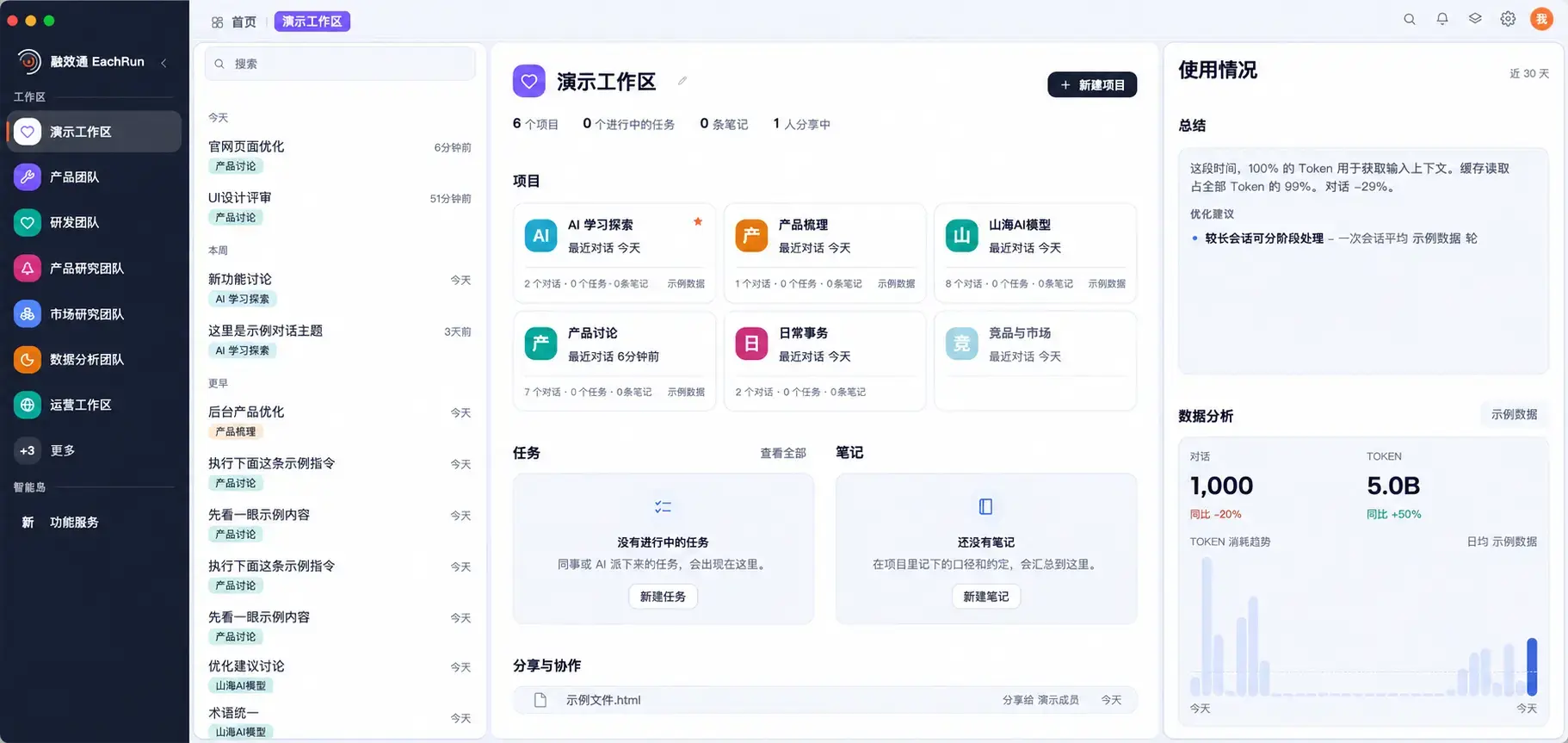
Desktop client workspace overview (demo data)
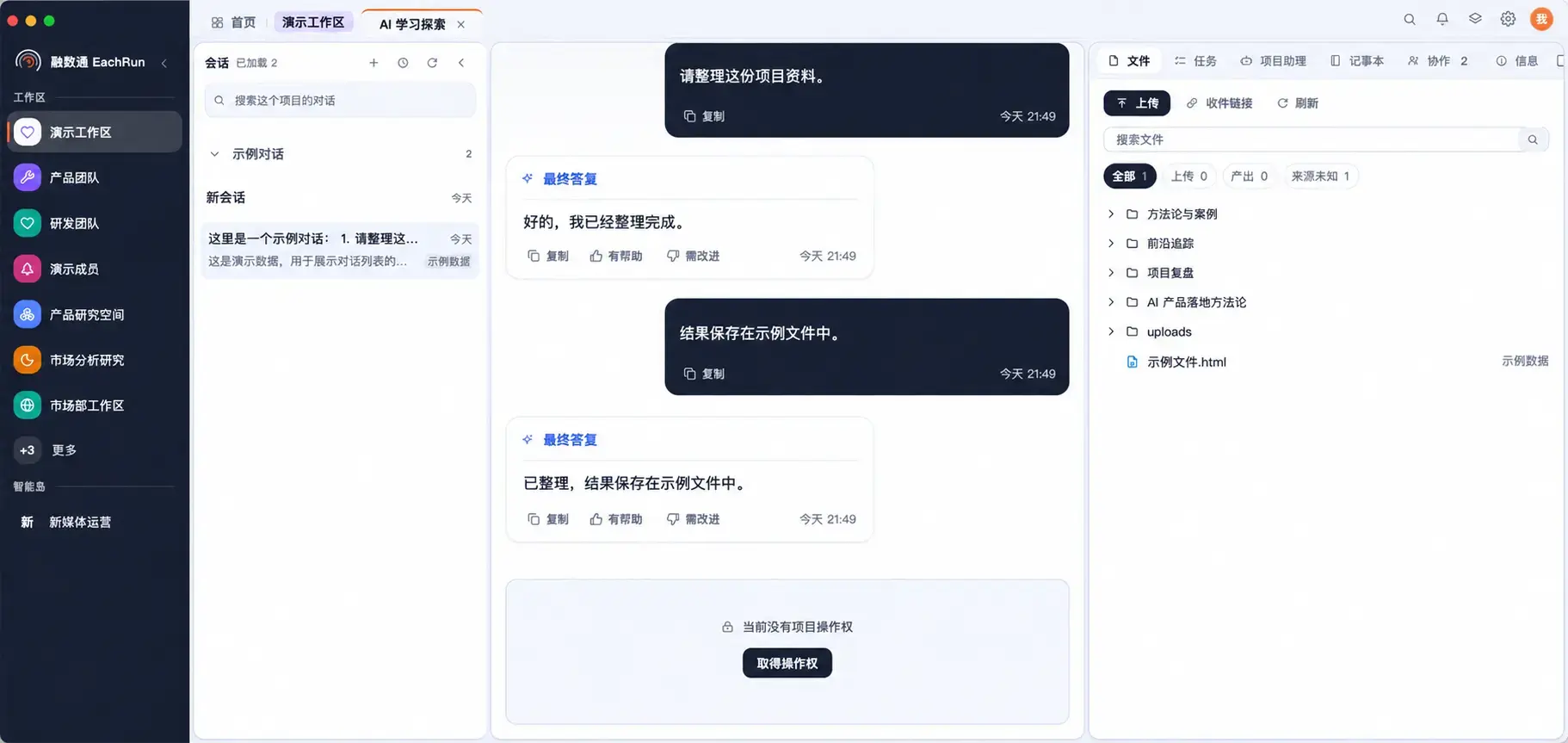
Desktop client project conversation and file panel (demo data)
Discuss a pilot